Learn how to Document
This is the document on how to document this microsite and publish it to the microsite.
Learn how to Document in markdown files
This microsite uses markdown files (.md files) for documentation.
Below are few reference guides on how to write markdown files and their syntax:
- https://www.markdownguide.org/basic-syntax/
- https://docs.github.com/en/get-started/writing-on-github/getting-started-with-writing-and-formatting-on-github/basic-writing-and-formatting-syntax
Clone the project
Clone the GitHub project where the markdown files are pushed.
GitHub repo link: https://github.com/optum-rx-platformintegration/ti-tech-innovators-docs
Or click on the top right icon of this microsite to open the respective GitHub repo:

GitHub repo files
Markdown files
The GitHub repo contains docs/ folder where all the markdown (.md) files are present and should be kept.
Add/Update your respective files/documents (.md files) in the docs/../../ folder.
For example, Optima related documents will be present in docs/RxOptima/../ folder.
Indexing the markdown files
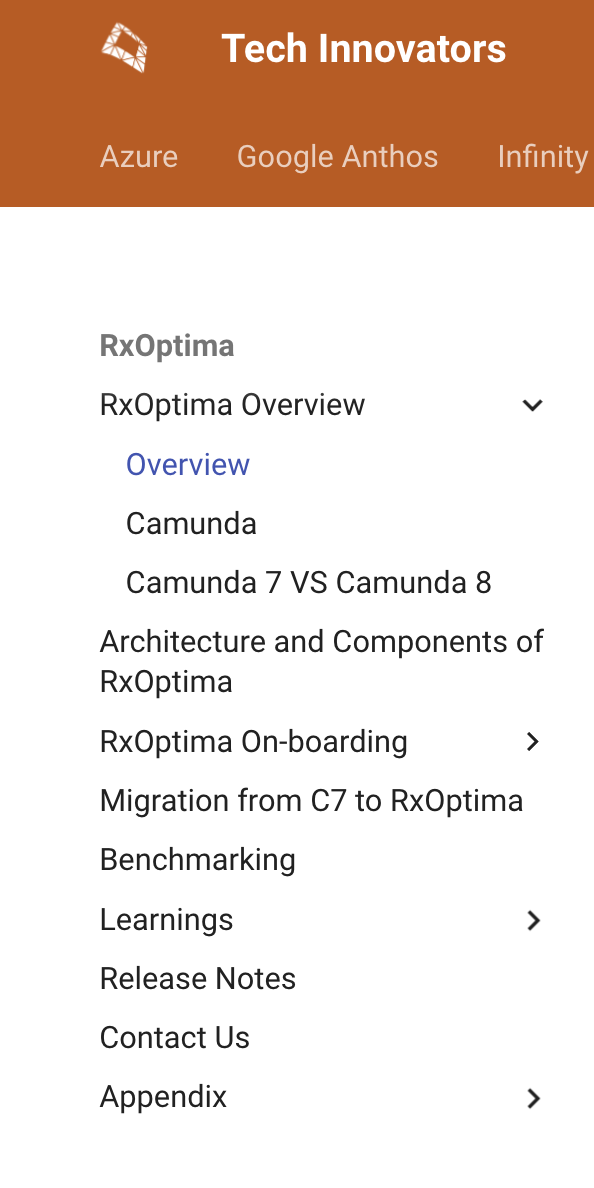
Once the markdown files are added/updated, those files needs to be indexed so that they are displayed in the microsite.
To add/update the index, update the mkdocs.yml file present in the root folder of the project/repo.
For example, to add/update the index of Optima related documents, search for RxOptima section and add/update the index as required.
Note
mkdocs.yml follows yaml structure and syntax. So, make sure to follow the yaml syntax and indentation while updating the file.
Note
Without indexing the markdown files, they won't be displayed in the microsite.
Publish the document
Note
You should have write access permission to the GitHub repo to push your changes.
For Optima Platform team members, raise AZU_OPTIMA_CONTRIBUTOR Secure Group access request to get the write access permission.
Once the below 2 steps are completed, push your changes to GitHub to reflect the changes in the microsite:
- Add/Update the markdown files in the
docs/../../folder, in appropriate folder as per the Topic of the document. - Update the
mkdocs.ymlfile.
Deployment Webhook
The microsite is deployed using GitHub Actions. On a new commit, GitHub webhook will trigger a Jenkins pipeline which will build and deploy the microsite with the latest updates.
The build and deployment might take few minutes to complete. So wait for 5-10 minutes for your changes to be reflected in the microsite.