Sonar for springboot applications
Step-1 Go to the http://sonar.optum.com/
Step-2 Click on the below plus button and click on create new project

Step-3 enter the Project key . i will available in vitals.yml.
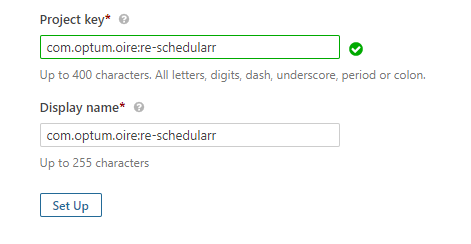
Step-4 click setup and save the token.
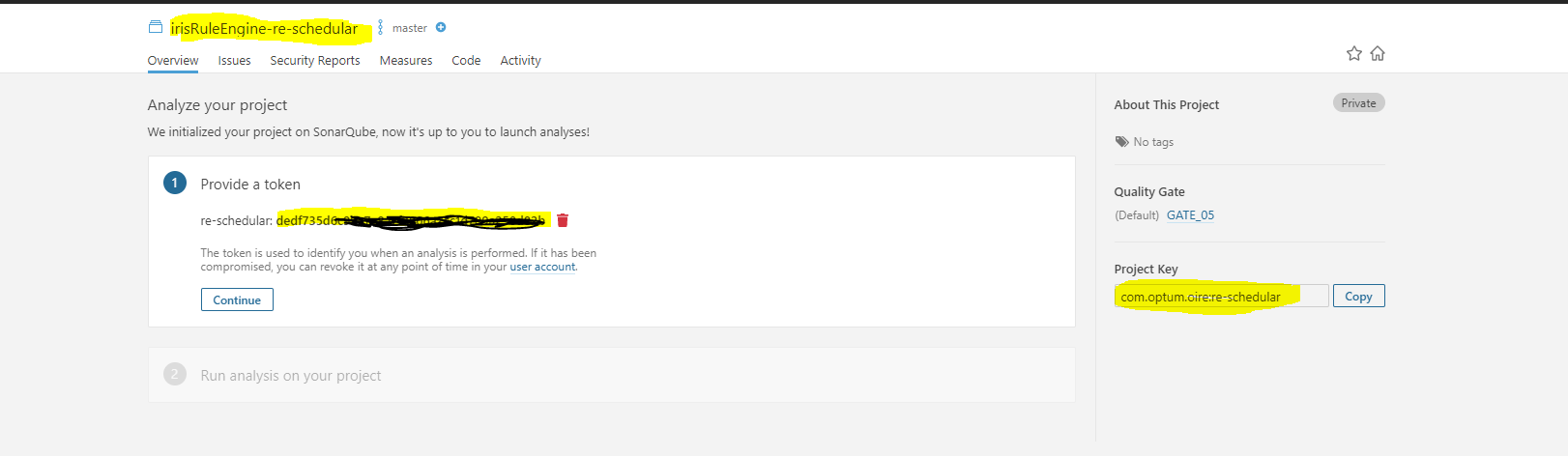
Step-5 Create file sonar-project-properties.
sonar.projectKey=com.optum.oire:re-schedular
sonar.host.url=http://sonar.optum.com/
sonar.projectName=irisRuleEngine-re-schedular
sonar.login=ded*********************
sonar.projectVersion=1.0
sonar.sourceEncoding=UTF-8
sonar.sources=src
sonar.exclusions=**/node_modules/**
sonar.tests=src
sonar.test.inclusions=**/*.spec.ts
sonar.typescript.lcov.reportPaths=coverage/lcov.info
<!-- Sonar Plugin-->
<plugin>
<groupId>org.sonarsource.scanner.maven</groupId>
<artifactId>sonar-maven-plugin</artifactId>
<version>3.6.0.1398</version>
</plugin>

<properties>
<!-- Sonar -->
<sonar.coverage.exclusions>
**/pom.xml,
**/application.properties,
**/log4j2.xml,
**/Dockerfile,
**/Jenkinsfile,
**/Optumfile.yml
</sonar.coverage.exclusions>
<sonar.branch.name>dev</sonar.branch.name>
</properties>
stage('SonarQube') { steps { glSonarMavenScan pomFile:"pom.xml", mainBranchName:"sonar-fortify" //gitUserCredentialsId:"${env.SONAR_USER}" } }
Step-8 Run the jenkins pipeline. the url we can find in console output.
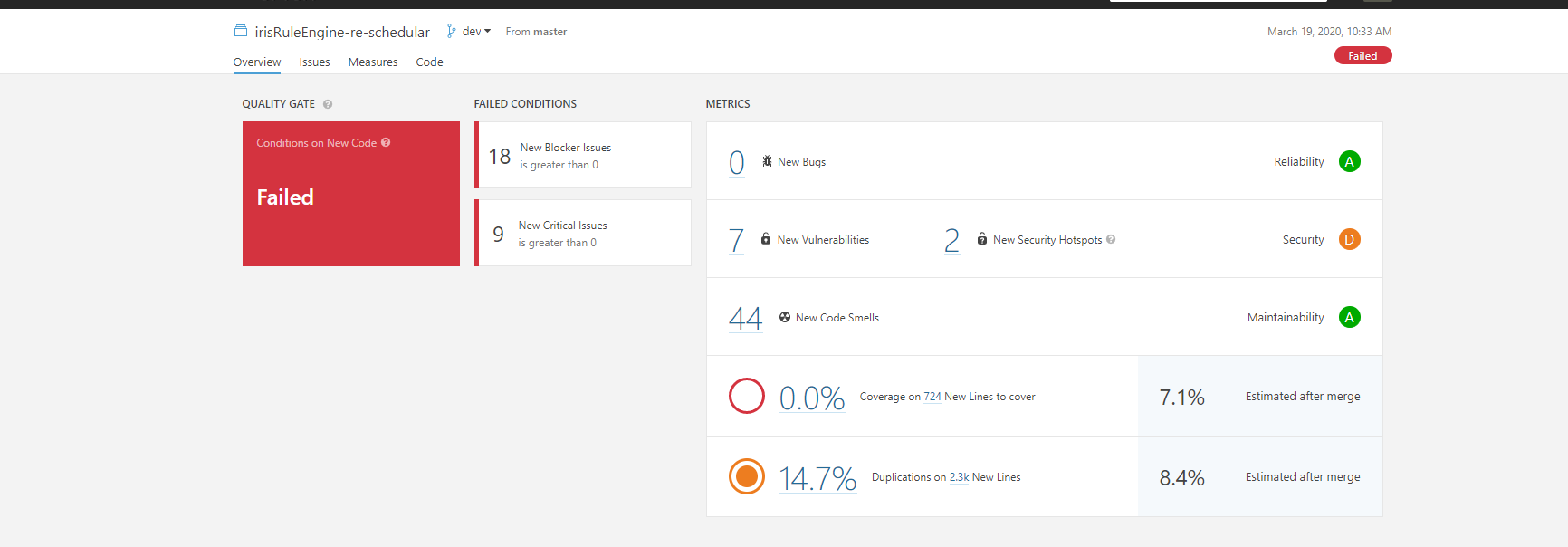
Sonar Configuration for Optima Gateway and Optima Admin Console Applications
- In order to get developer access in sonar for optima, need to raise access request for the secure group -
AZU_OPTIMA_CONTRIBUTORand for Admin access need to raise request forAZU_OPTIMA_OWNER. -
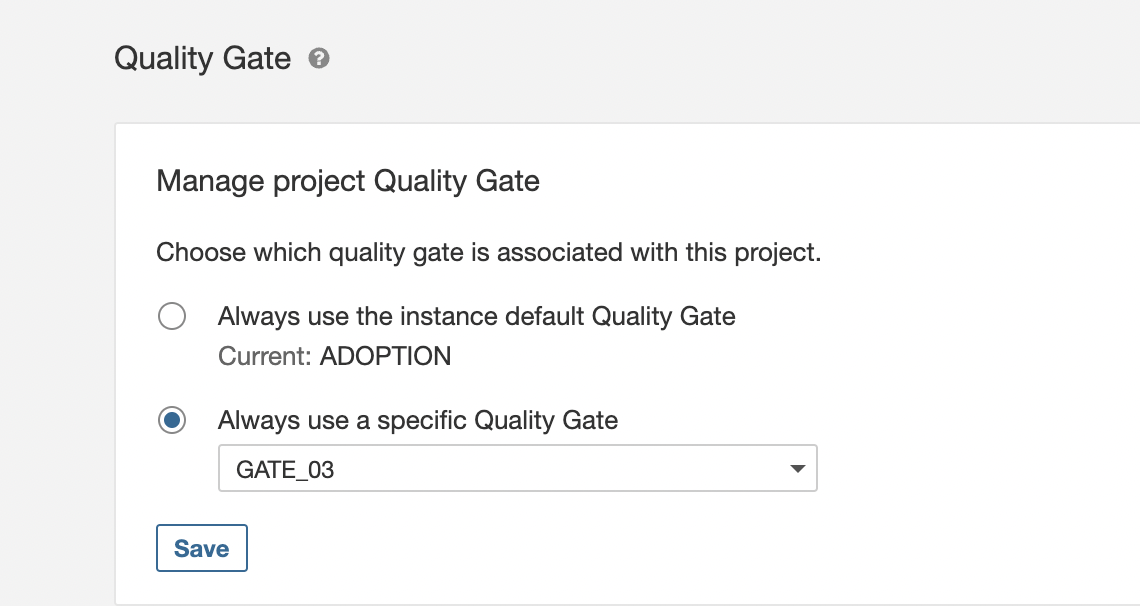
For setting Quality Gate, Click on the Project Setting button then on Quality Gate.
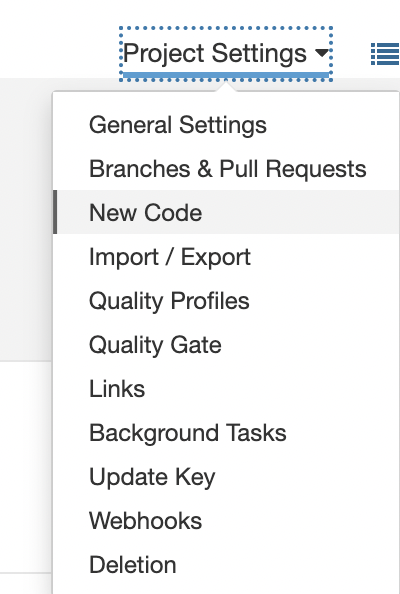
-
Set the Quality Gate as per coverage.