Camunda Elastic Security
-
Camunda Helm Charts comes with Elasticsearch deployment. However, it does not come with any security enabled.
-
This document explains how to enable security for Elasticsearch. We are going to enable Basic Authentication for Elasticsearch. (meaning setting up
usernameandpasswordas authentication for security) -
Before enabling Security for Elasticsearch, we need to understand which all components interact with Elasticsearch.
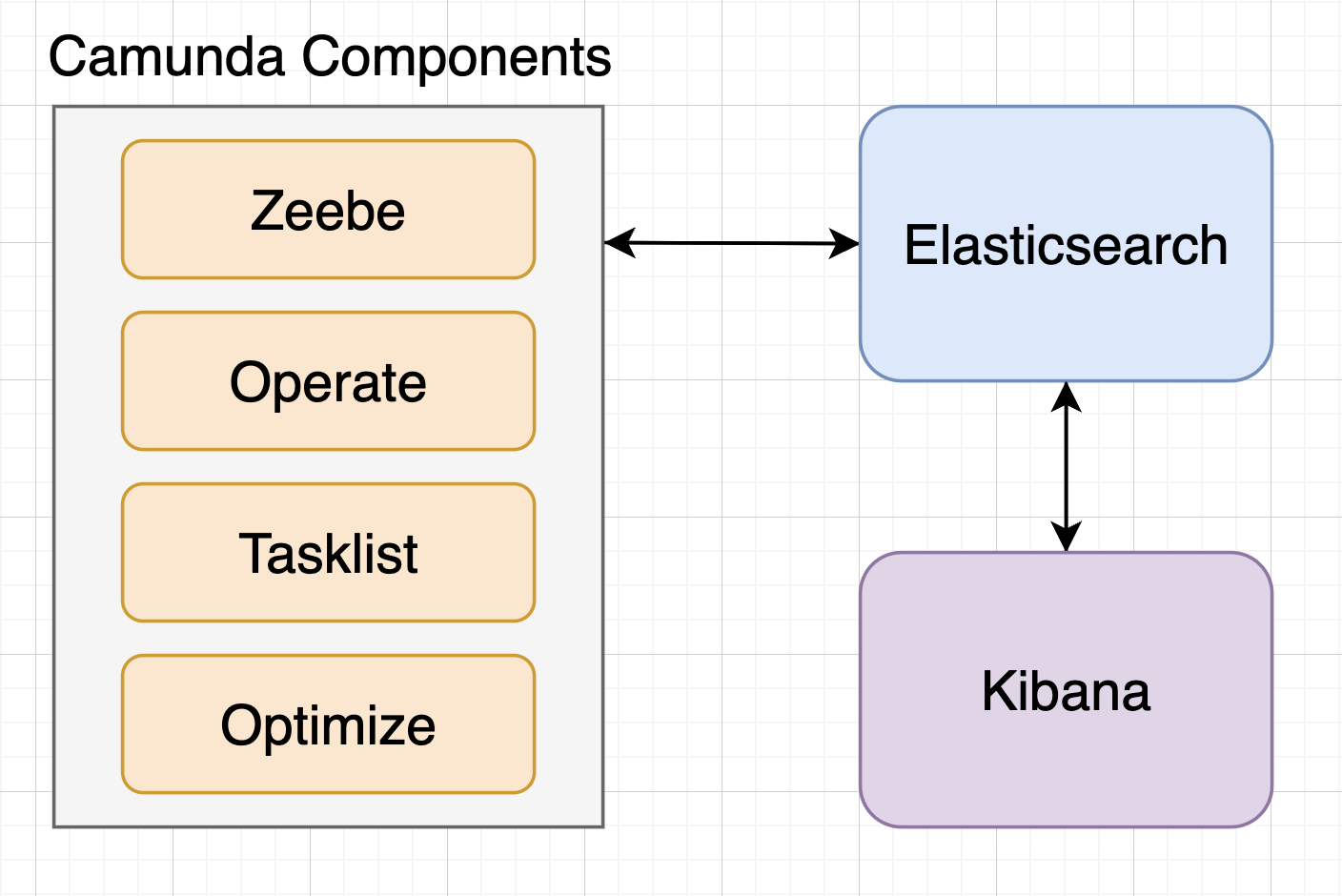
Camunda components that interact with Elasticsearch:
- Zeebe broker
- Operate
- Tasklist
- Optimize
Other components that interact with Elasticsearch:
- Kibana
Hence, if we enable Security for Elasticsearch, we need to make sure that all the above components are able to interact with Elasticsearch.
Creating Elasticsearch credentials
- We need to create a Kubernetes secret to store the Elasticsearch credentials. This secret will be used by all the components to interact with Elasticsearch.
elastic-credentials-secret.yaml file. (located in k8s folder)
apiVersion: v1
kind: Secret
metadata:
  name: elastic-credentials-secret
  namespace: <name-space>
type: Opaque
data:
  elasticUsername: <elastic-username>
  elasticPassword: <elastic-password>
Elasticsearch Security
-
Elasticsearch security is disabled by default in the Helm Chart.
-
To enable security, we need to set the below values in
elasticsearchsection in thevalues.yamlfile.
  extraEnvs:
    - name: "xpack.security.enabled"
      value: "true"
    - name: ELASTIC_USER
      valueFrom:
        secretKeyRef:
          name: elastic-credentials-secret
          key: elasticUsername
    - name: ELASTIC_PASSWORD
      valueFrom:
        secretKeyRef:
          name: elastic-credentials-secret
          key: elasticPassword
Zeebe Broker with Elasticsearch security
-
Zeebe broker uses Elasticsearch to store the workflow data. Hence, we need to make sure that Zeebe broker is able to interact with Elasticsearch.
-
To enable Zeebe broker to interact with Elasticsearch, we need to set the below values in
zeebesection in thevalues.yamlfile.
  env:
    - name: ZEEBE_BROKER_EXPORTERS_ELASTICSEARCH_ARGS_AUTHENTICATION_USERNAME
      valueFrom:
        secretKeyRef:
          name: elastic-credentials-secret
          key: elasticUsername
    - name: ZEEBE_BROKER_EXPORTERS_ELASTICSEARCH_ARGS_AUTHENTICATION_PASSWORD
      valueFrom:
        secretKeyRef:
          name: elastic-credentials-secret
          key: elasticPassword
Operate with Elasticsearch security
-
Operate uses Elasticsearch to read the workflow data for real time monitoring. Hence, we need to make sure that Operate is able to interact with Elasticsearch.
-
To enable Operate to interact with Elasticsearch, we need to set the below values in
operatesection in thevalues.yamlfile.
  env:
    - name: CAMUNDA_OPERATE_ELASTICSEARCH_USERNAME
      valueFrom:
        secretKeyRef:
          name: elastic-credentials-secret
          key: elasticUsername
    - name: CAMUNDA_OPERATE_ELASTICSEARCH_PASSWORD
      valueFrom:
        secretKeyRef:
          name: elastic-credentials-secret
          key: elasticPassword
    - name: CAMUNDA_OPERATE_ZEEBEELASTICSEARCH_USERNAME
      valueFrom:
        secretKeyRef:
          name: elastic-credentials-secret
          key: elasticUsername
    - name: CAMUNDA_OPERATE_ZEEBEELASTICSEARCH_PASSWORD
      valueFrom:
        secretKeyRef:
          name: elastic-credentials-secret
          key: elasticPassword
Tasklist with Elasticsearch security
-
Tasklist uses Elasticsearch to read the workflow data related to User Tasks. Hence, we need to make sure that Tasklist is able to interact with Elasticsearch.
-
To enable Tasklist to interact with Elasticsearch, we need to set the below values in
tasklistsection in thevalues.yamlfile.
  env:
    - name: CAMUNDA_TASKLIST_ELASTICSEARCH_USERNAME
      valueFrom:
        secretKeyRef:
          name: elastic-credentials-secret
          key: elasticUsername
    - name: CAMUNDA_TASKLIST_ELASTICSEARCH_PASSWORD
      valueFrom:
        secretKeyRef:
          name: elastic-credentials-secret
          key: elasticPassword
    - name: CAMUNDA_TASKLIST_ZEEBEELASTICSEARCH_USERNAME
      valueFrom:
        secretKeyRef:
          name: elastic-credentials-secret
          key: elasticUsername
    - name: CAMUNDA_TASKLIST_ZEEBEELASTICSEARCH_PASSWORD
      valueFrom:
        secretKeyRef:
          name: elastic-credentials-secret
          key: elasticPassword
Optimize with Elasticsearch security
-
Optimize uses Elasticsearch to read the workflow data for analytics and reporting. Hence, we need to make sure that Optimize is able to interact with Elasticsearch.
-
Enabling security for Optimize is not as simple as other modules like adding the environment variables. We need to create a custom ConfigMap for Optimize with the required environment variables, and mount the ConfigMap to the Optimize pod at a specific path.
Create ConfigMap for Optimize
optimize-env-config.yaml file. (located in k8s folder)
apiVersion: v1
kind: ConfigMap
metadata:
  name: optimize-configmap
  namespace: <name-space>
data:
  environment-config.yaml: |
    es:
      security:
        username: ${CAMUNDA_OPTIMIZE_ELASTICSEARCH_USERNAME}
        password: ${CAMUNDA_OPTIMIZE_ELASTICSEARCH_PASSWORD}
Note
The filename provided in the above ConfigMap should be environment-config.yaml and cannot be changed, as the Optimize pod will look for this specific file only.
Create env variables for Optimize
-
We need to set the below values in
optimizesection in thevalues.yamlfile. -
These values will be used by the above ConfigMap properties, as in the ConfigMap we have provided the placeholders for the actual values.
  env:
    - name: CAMUNDA_OPTIMIZE_ELASTICSEARCH_USERNAME
      valueFrom:
        secretKeyRef:
          name: elastic-credentials-secret
          key: elasticUsername
    - name: CAMUNDA_OPTIMIZE_ELASTICSEARCH_PASSWORD
      valueFrom:
        secretKeyRef:
          name: elastic-credentials-secret
          key: elasticPassword
Mount ConfigMap to Optimize pod
- We need to set the below values in
optimizesection in thevalues.yamlfile. These values will be used to mount the ConfigMap to the Optimize pod.
  extraVolumes:
    - name: environment-config
      configMap:
        name: optimize-configmap
        defaultMode: 0777
  extraVolumeMounts:
    - name: environment-config
      mountPath: /optimize/config/environment-config.yaml
      subPath: environment-config.yaml
Note
The mountPath and subPath values should not be changed, as the Optimize pod will look for the file at this specific path only.
Kibana with Elasticsearch security
-
Kibana uses Elasticsearch to visualize the Elastic indices. Kibana is not part of the Camunda Helm Chart, but it is deployed as a separate Deployment in the same namespace.
-
Kibana is also deployed as an Ingress service, so that it can be accessed using URL. However, as the Elasticsearch security is enabled, we need to make sure that Kibana is able to interact with Elasticsearch.
-
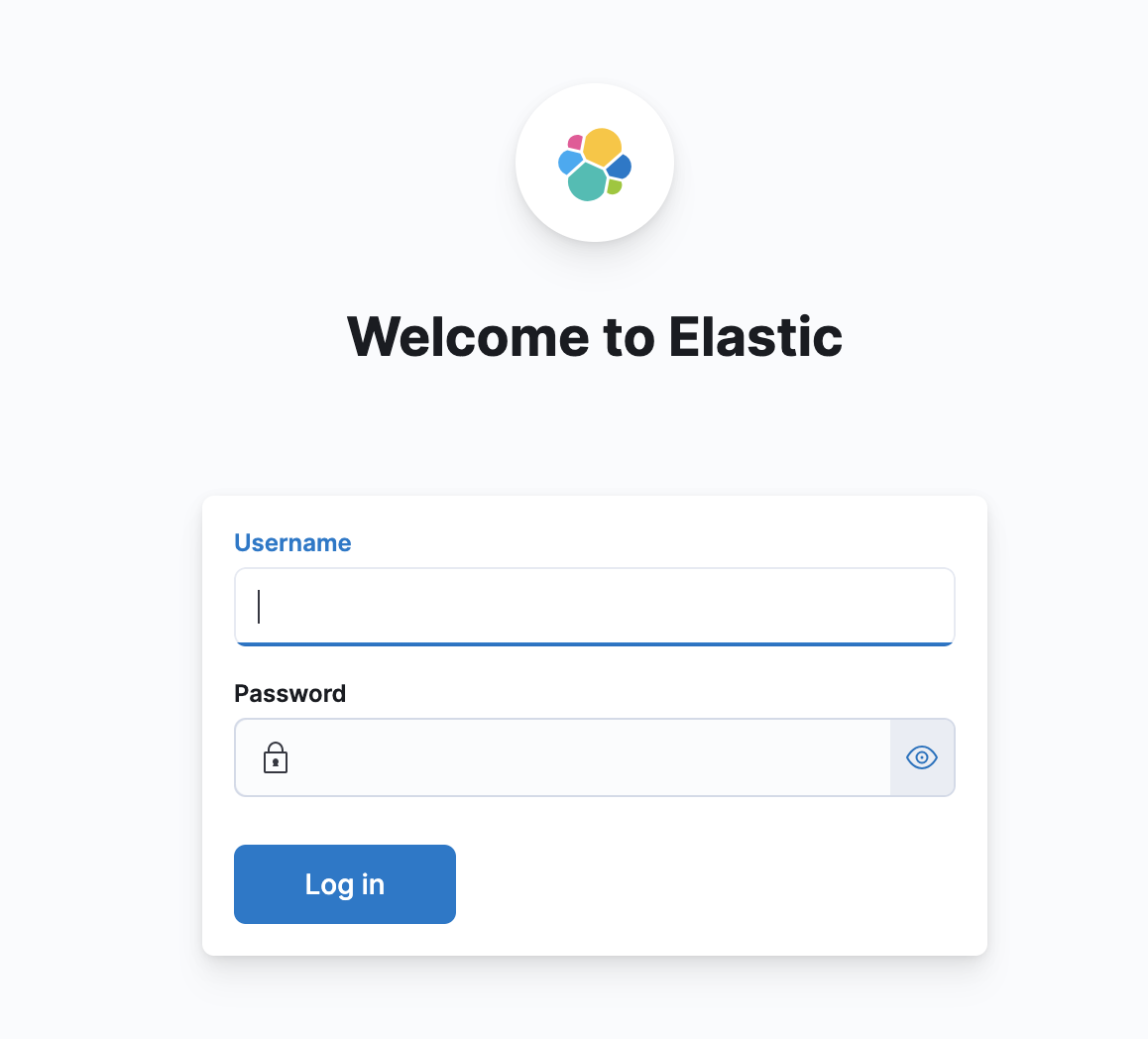
The same credentials will be used to Login to Kibana UI.
kibana.yaml file. (located in k8s folder)
---
apiVersion: apps/v1
kind: Deployment
metadata:
  name: kibana-deployment
  namespace: <name-space>
  labels:
    app: kibana
spec:
  replicas: 1
  selector:
    matchLabels:
      app: kibana
  template:
    metadata:
      labels:
        app: kibana
    spec:
      containers:
        - name: kibana
          image: <acr-host>/<acr-registry-name>:kibana-7.17.13
          imagePullPolicy: IfNotPresent
          resources:
            limits:
              cpu: 2000m
              memory: "2048Mi"
            requests:
              cpu: 500m
              memory: "1024Mi"
          env:
            - name: ELASTICSEARCH_URL
              value: http://elasticsearch-master:9200
            - name: ELASTICSEARCH_HOSTS
              value: http://elasticsearch-master:9200
            - name: SERVER_BASEPATH
              value: /<tenant-name>/kibana
            - name: SERVER_PUBLICBASEURL
              value: https://optima-<URL_ENV>tenants.optumrx.com/<tenant-name>/kibana
            - name: SERVER_REWRITEBASEPATH
              value: "true"
            - name: ELASTICSEARCH_USERNAME
              valueFrom:
                secretKeyRef:
                  name: elastic-credentials-secret
                  key: elasticUsername
            - name: ELASTICSEARCH_PASSWORD
              valueFrom:
                secretKeyRef:
                  name: elastic-credentials-secret
                  key: elasticPassword
          ports:
            - containerPort: 5601
---
apiVersion: v1
kind: Service
metadata:
  name: kibana-svc
  namespace: <name-space>
  labels:
    app: kibana
spec:
  ports:
    - port: 80
      targetPort: 5601
  selector:
    app: kibana
  type: ClusterIP
---
apiVersion: networking.k8s.io/v1
kind: Ingress
metadata:
  name: kibana-ingress
  namespace: <name-space>
  annotations:
    nginx.ingress.kubernetes.io/force-ssl-redirect: 'true'
    nginx.ingress.kubernetes.io/ssl-redirect: 'true'
    nginx.org/mergeable-ingress-type: minion
spec:
  ingressClassName: nginx
  rules:
    - host: optima-<URL_ENV>tenants.optumrx.com
      http:
        paths:
          - path: /<tenant-name>/kibana
            pathType: Prefix
            backend:
              service:
                name: kibana-svc
                port:
                  number: 80
Summary
With these, we have enabled security (Basic Auth) for Elasticsearch and all the components that interact with Elasticsearch.
Automating the Process
-
We can automate the process of enabling security for Elasticsearch and all the components that interact with Elasticsearch.
-
Below are the list of things that we have to automate:
- Environment variables for Elasticsearch/Zeebe/Operate/Tasklist/Optimize (taken care from the Helm Chart itself)
- Creating the Kubernetes secret for Elasticsearch credentials (added in the script pre-installation of Camunda Helm Chart)
- Creating the ConfigMap for Optimize (added in the script pre-installation of Camunda Helm Chart)
- Mounting the ConfigMap to Optimize pod (taken care from the Helm Chart itself)
- Creating the Kibana deployment, service and ingress (added in the script post-installation of Camunda Helm Chart)
Summary of Automating the Process
We have followed 3 steps to automate the process:
- Pre-installation of Camunda Helm Chart
- Will deploy the Kubernetes secret for Elasticsearch credentials
- Will deploy the ConfigMap for Optimize
- Installation of Camunda Helm Chart
- Will deploy the Camunda Helm Chart with the required environment variables in each component
- Post-installation of Camunda Helm Chart
- Will deploy the Kibana deployment, service and ingress