Architecture and Components of RxOptima
RxOptima Architecture Diagrams
System Architecture
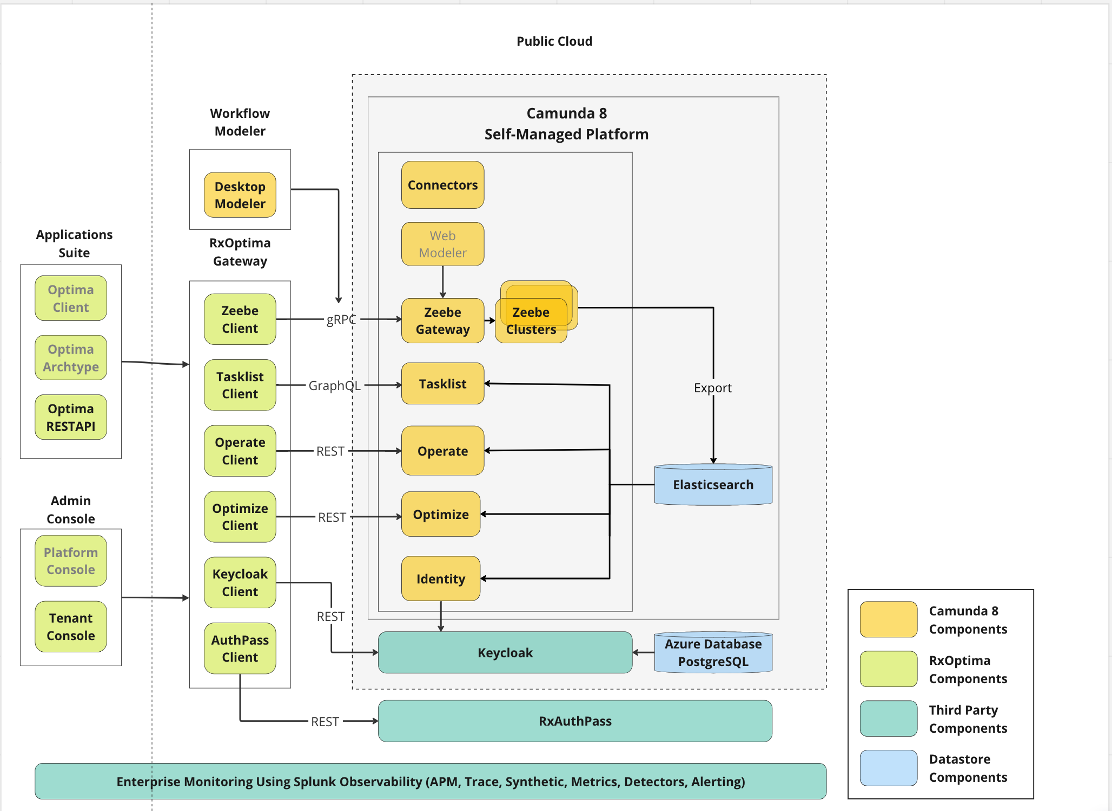
The System Architecture consists of following components:
- Applications Suite
- Optima Gateway
- Camunda Self Hosted Platform
Camunda Enterprise consists of 4 major components:
- Zeebe (Zeebe Engine, Zeebe Gateway, Zeebe Clusters)
- Operate
- Tasklist
- Optimize
Consumer applications will communicate with centralized Optima Gateway using any of the Application Suite (which consists of REST APIs, Java Client Library or Maven Archetype). While internally Optima Gateway has a capability to connect with all the Camunda Components.
Network Architecture
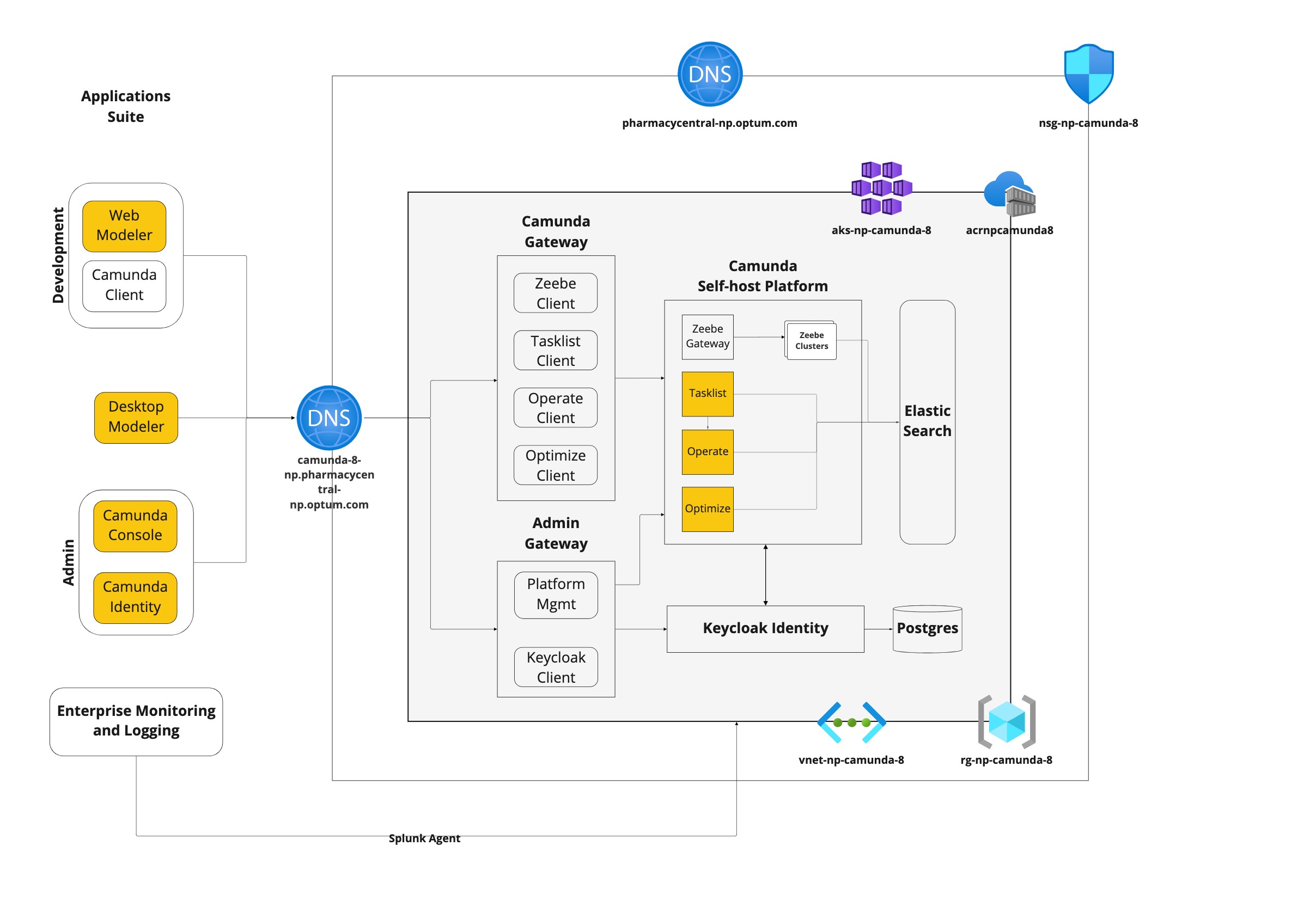
RxOptima Components
There are the major components/modules of Camunda:
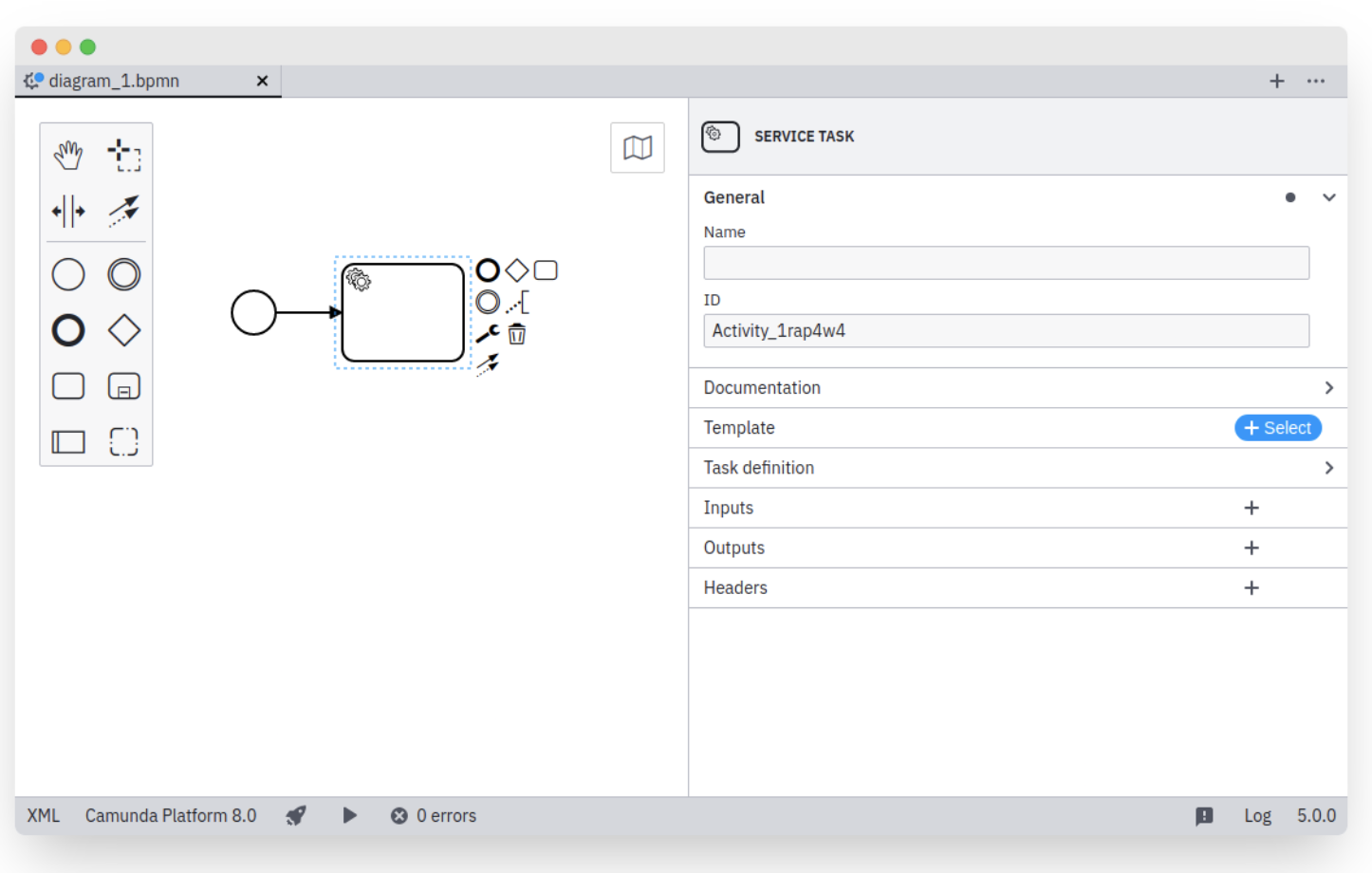
- Modeler -
- Any executable process needs a BPMN/DMN diagram designed and configured beforehand. Camunda offers a few tools to design your diagrams and implement them: Desktop Modeler and Web Modeler.
- Desktop Modeler is a desktop application that can be installed and used locally, all while integrating your local development environment.
- Web Modeler is part of Cloud Console and offers a seamless integration into Camunda Platform 8 to model BPMN.
- Desktop Modeler and Web Modeler differ mainly in their environment.
- For more details on Modeler, refer here.
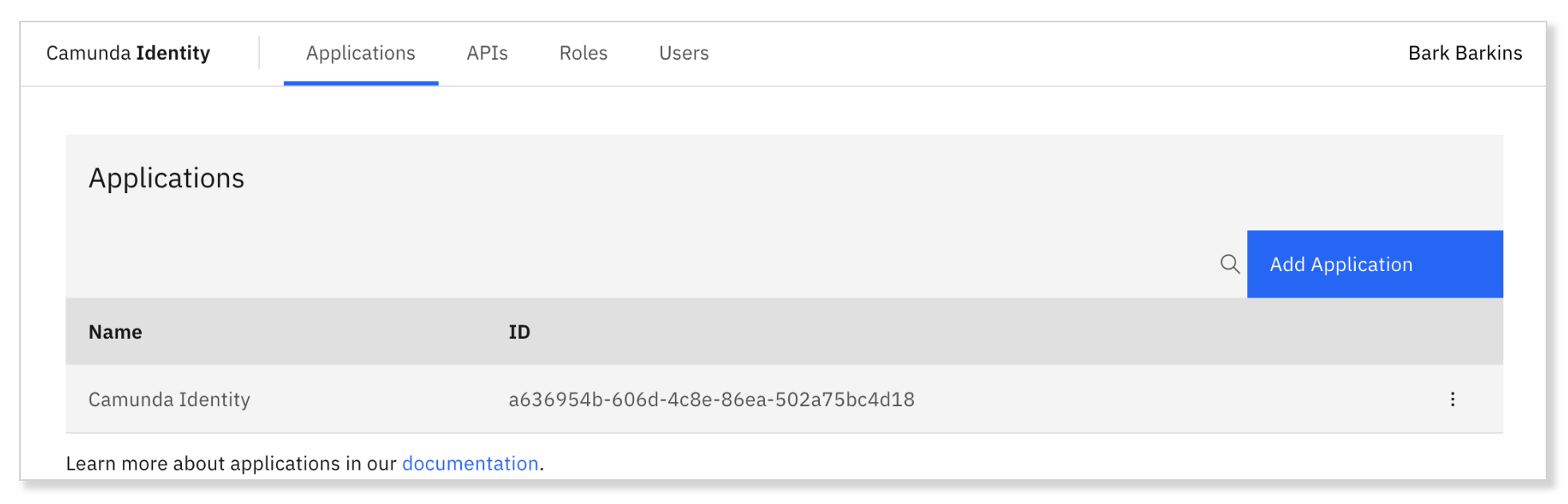
- Identity -
- Identity is the component within the Camunda Platform 8 stack responsible for authentication and authorization.
- It allows you to manage: Applications, APIs, Permissions, Roles and Users.
- For more details on Identity, refer here.
- Zeebe -
- Zeebe is the process automation engine powering Camunda Platform 8.
- With Zeebe you can define processes graphically in BPMN 2.0, Build processes that react to events from Apache Kafka and other messaging platforms, Scale horizontally to handle very high throughput, and more.
- For more details on Zeebe, refer here.
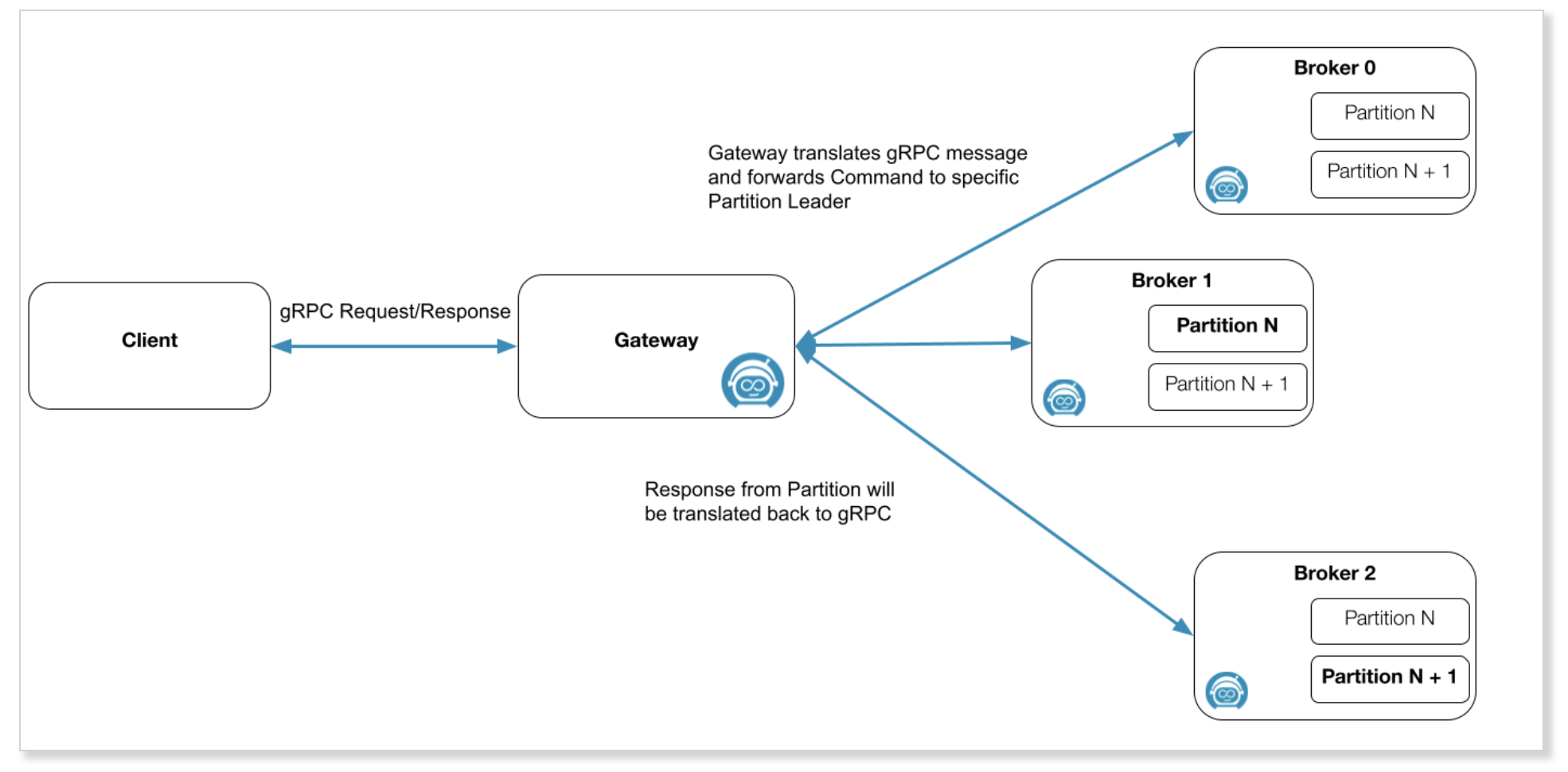
- Zeebe Gateway -
- Zeebe Gateway is a component of the Zeebe cluster.
- It can be considered the contact point for the Zeebe cluster which allows Zeebe clients to communicate with Zeebe brokers inside a Zeebe cluster.
- For more details on Zeebe Gateway, refer here.
- Operate -
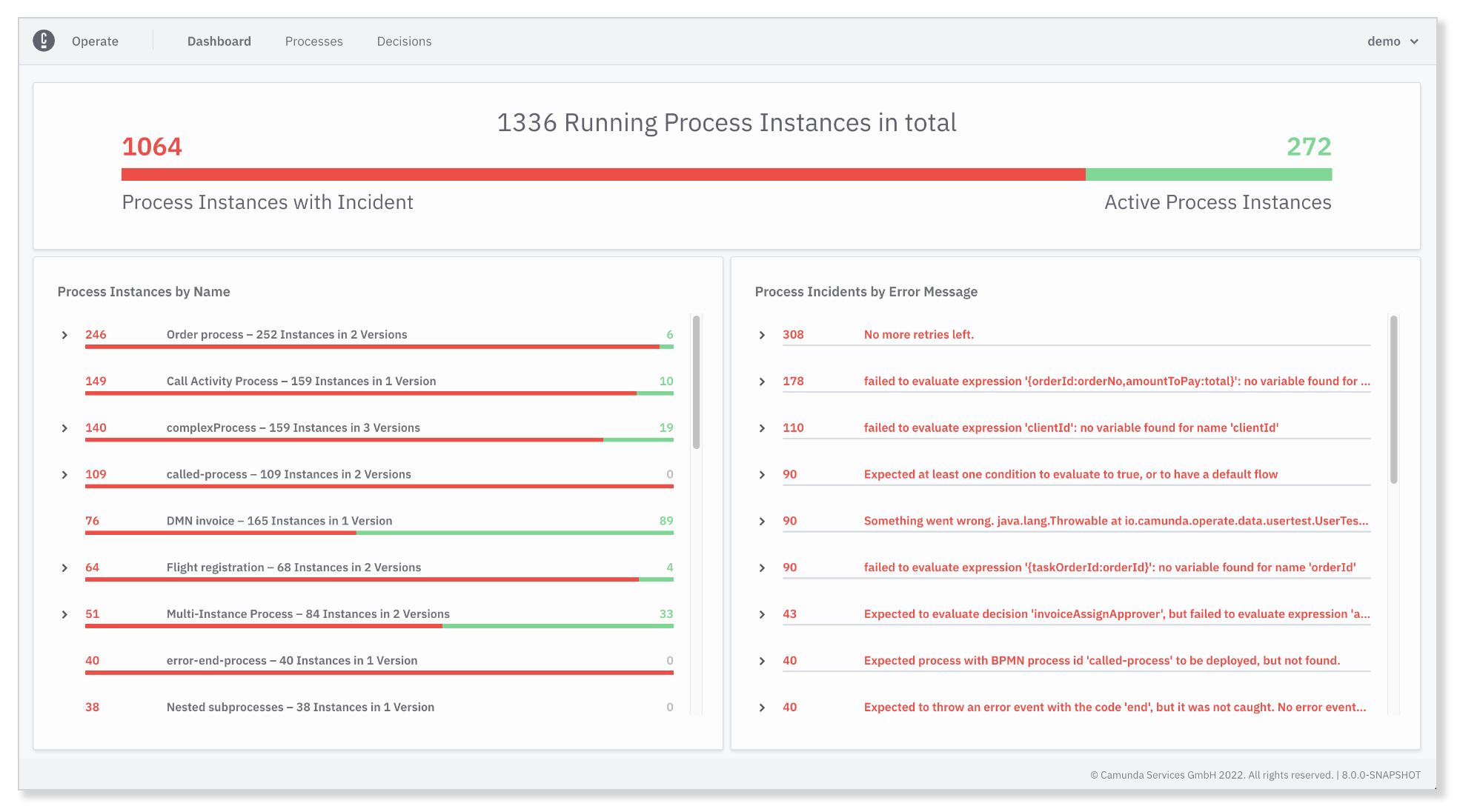
- Operate is a tool for monitoring and troubleshooting process instances running in Zeebe.
- In addition to providing visibility into active and completed process instances, Operate also makes it possible to carry out key operations such as resolving incidents, and updating process instance variables.
- For more details on Operate, refer here.
- Tasklist -
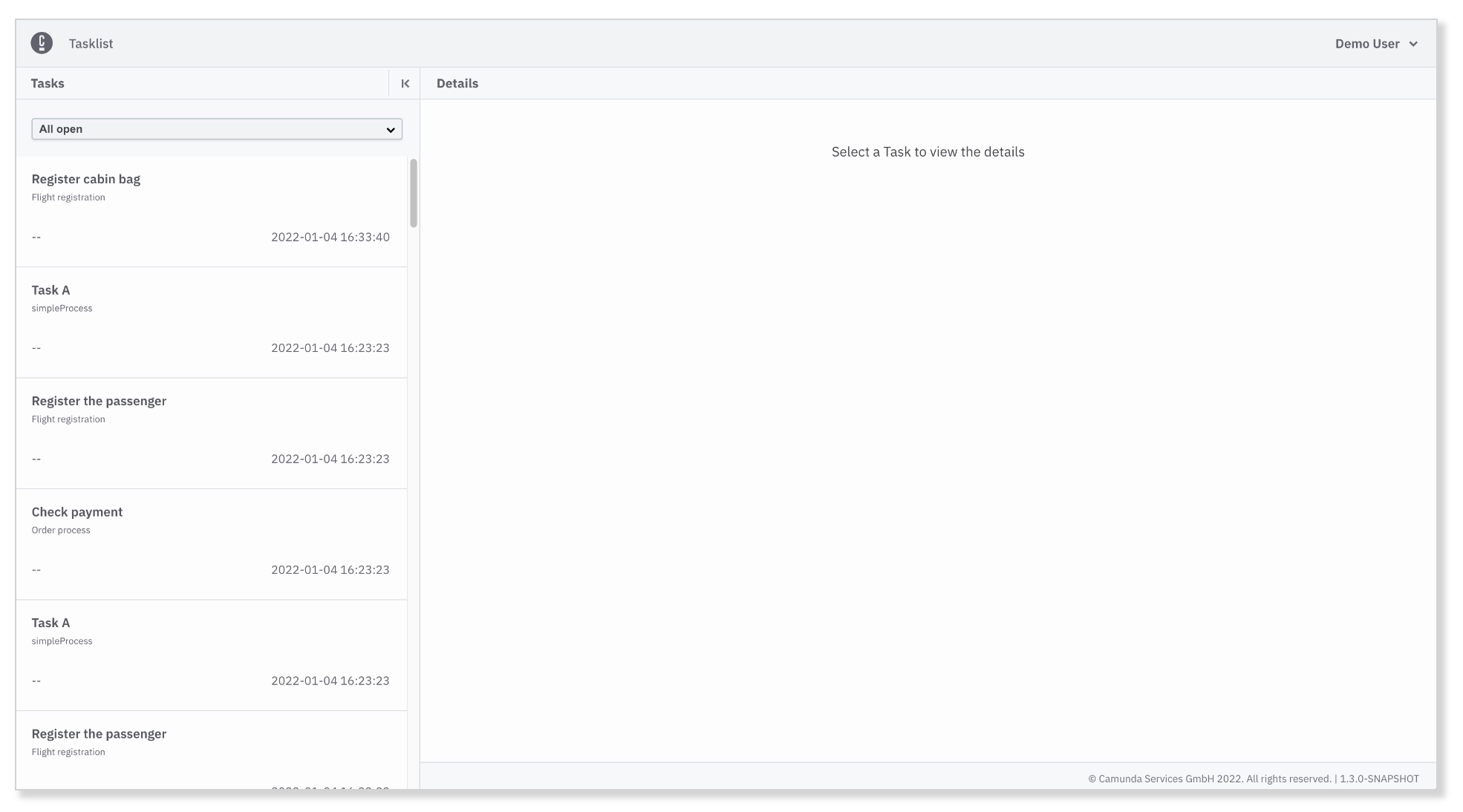
- Tasklist is a ready-to-use application to rapidly implement business processes alongside user tasks in Zeebe.
- As you model a business process using BPMN and deploy it to the workflow engine, users are notified in Tasklist when they're assigned a task.
- For more details on Tasklist, refer here.
- Optimize -
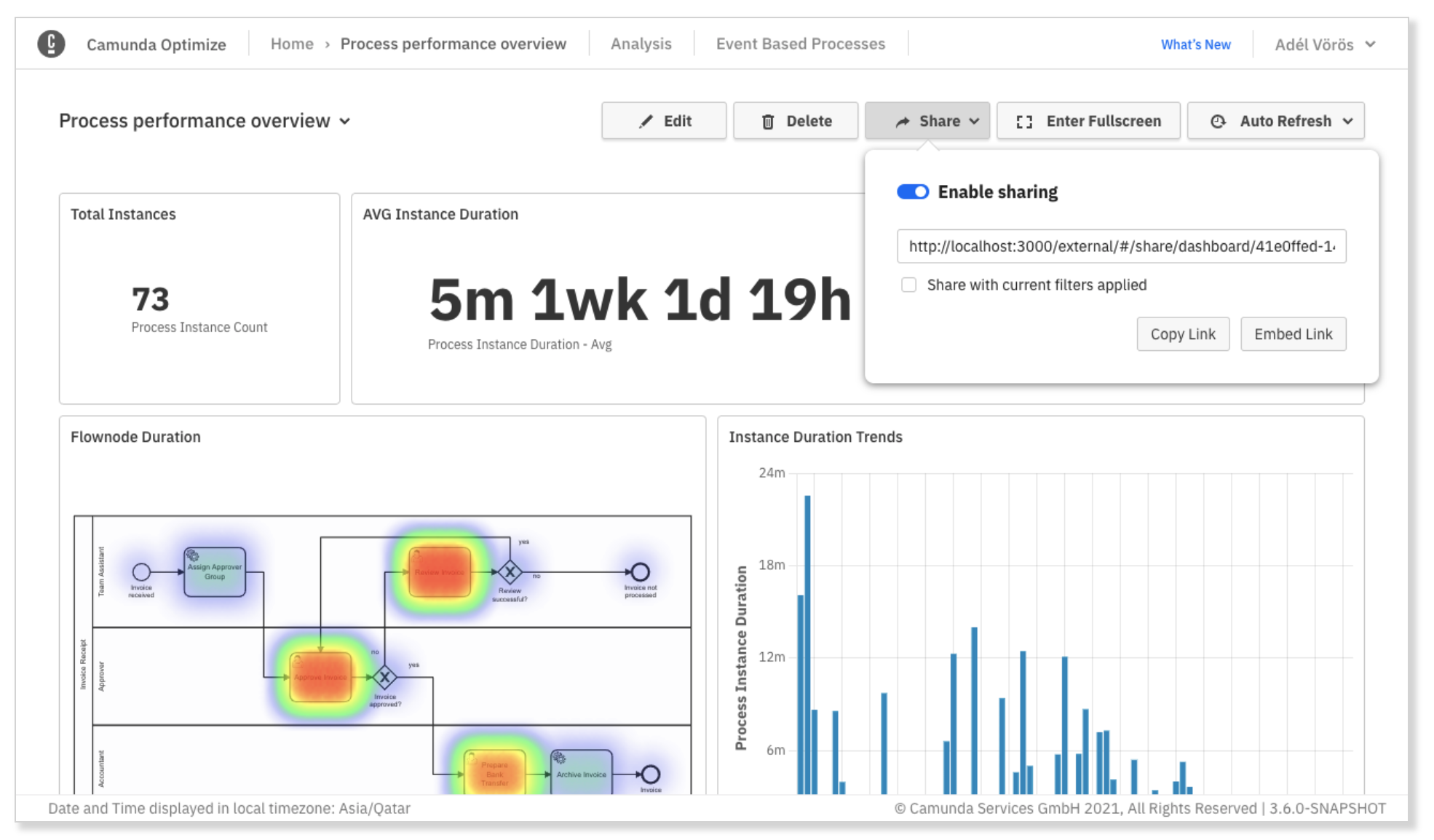
- Optimize is used to improve your business processes by identifying constraints in your model/system.
- By leveraging the data collected during process execution, users can collaboratively access reports, share process intelligence, analyze bottlenecks, and examine areas in business processes for improvement.
- For more details on Optimize, refer here.
References
- Modeler - https://docs.camunda.io/docs/components/modeler/about-modeler/
- Identity - https://docs.camunda.io/docs/self-managed/identity/what-is-identity/
- Zeebe - https://docs.camunda.io/docs/components/zeebe/zeebe-overview/
- Zeebe Gateway - https://docs.camunda.io/docs/self-managed/zeebe-gateway-deployment/zeebe-gateway/
- Operate - https://docs.camunda.io/docs/components/operate/operate-introduction/
- Tasklist - https://docs.camunda.io/docs/components/tasklist/introduction-to-tasklist/
- Optimize - https://docs.camunda.io/optimize/components/what-is-optimize/